DMARC p=none vs quarantine vs reject: How to Move Safely
p=none blocks nothing. We explain none, quarantine and reject, the sp, pct and rua tags, and a step-by-step plan to move safely to p=reject.
- AUTHOR
- Karol Rapacz / Founder of Breachroad
- PUBLISHED
- 27 November 2026
- READING TIME
- 12 min read
- TOPIC
- Cloud, Infrastructure and DevSecOps
More and more companies have a DMARC record today — not least because Gmail has required one from bulk senders since 2024. The problem is that a huge share of those records look like this: v=DMARC1; p=none; rua=mailto:…. And that’s where it ends. p=none blocks nothing: a scammer can still send an e-mail “from the CEO” or “from accounts”, and recipients’ inboxes will accept it.
This guide explains the difference between the none, quarantine and reject policies, what the sp, pct and rua tags do, and how to move safely to reject without losing legitimate mail from your newsletter, CRM or invoicing system along the way.
See where you stand: the free SPF, DKIM and DMARC checker shows your DMARC policy, detects gaps such as
sp=noneor apctbelow 100, and suggests the next step.
How DMARC works — in one paragraph
DMARC links SPF and DKIM to what the recipient sees: the domain in the “From” field. A message passes DMARC when SPF or DKIM passes and is also aligned with the “From” domain — meaning it concerns the same domain. The DMARC record tells receiving servers what to do with messages that don’t meet this and where to send reports.
p=none, p=quarantine, p=reject — the differences
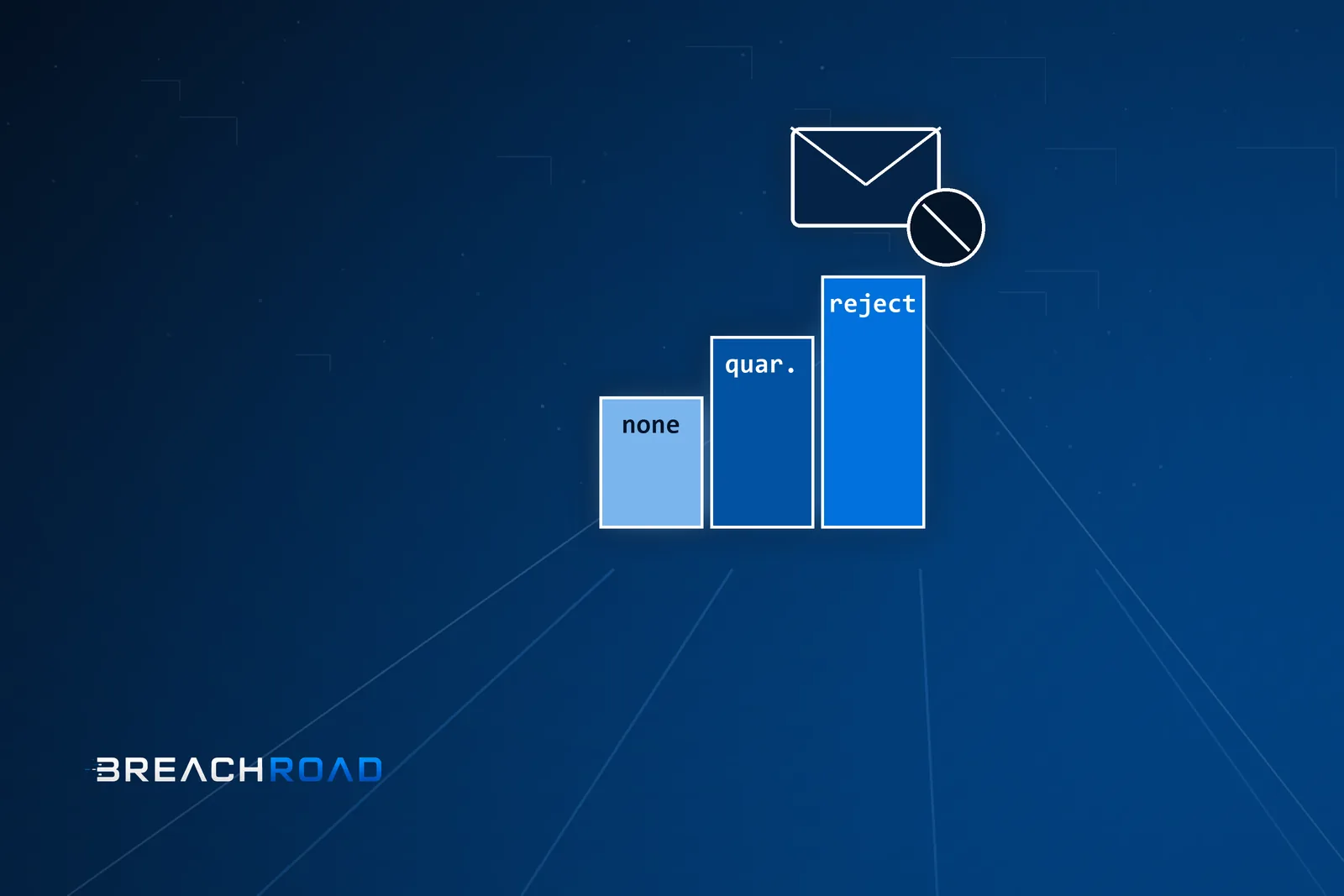
| Policy | What the receiver does with mail that fails DMARC | Spoofing protection |
|---|---|---|
p=none | nothing — delivers normally, only reports | none |
p=quarantine | treats it as suspicious, usually puts it in spam | partial |
p=reject | refuses it at delivery | full |
p=none has one important advantage: reports. Thanks to the rua tag, you get daily aggregate summaries from large mailbox providers — who sent mail as your domain, from which servers, how much, and whether it passed SPF and DKIM. Without that knowledge, moving to reject would be a leap in the dark.
Other tags you need to know
rua=mailto:…— the address for aggregate reports. Without it you see neither attacks nor your own configuration errors.sp=— the policy for subdomains. If absent, subdomains inheritp. The most common gap isp=reject; sp=none: the main domain is protected, while every subdomain, such asinvoices.yourcompany.com, can still be spoofed.pct=— the percentage of messages thequarantineorrejectpolicy applies to (default 100). Useful for gradual rollout, butpct=50means half of spoofed mail still gets through.adkim=andaspf=— the alignment mode:r(relaxed, the default — the same organisational domain is enough) ors(strict — an identical domain is required). For most companies the defaultris fine.ruf=— forensic reports about individual messages. Many providers don’t send them; they aren’t needed for rollout.
The plan from p=none to p=reject — step by step
Step 1. List everyone who sends mail as your domain
Company mail (Google Workspace, Microsoft 365), newsletter, CRM, invoicing, online shop, helpdesk, recruitment, app notifications, scan-to-email printers, your accountant’s systems. The list always turns out longer than you think.
Step 2. Enable p=none with reports
v=DMARC1; p=none; rua=mailto:[email protected]Reports arrive as XML files — use a free or paid DMARC report analyser to turn them into a readable table of senders.
Step 3. For 2–4 weeks, analyse the reports and fix senders
For every legitimate source of mail, check whether it passes DMARC. If it doesn’t:
- enable DKIM with your own domain in that service — usually the most effective fix, because DKIM survives forwarding and SPF doesn’t;
- fix SPF, keeping the 10 DNS lookup limit in mind;
- set a custom return path (bounce domain) if the service allows it.
Sources you don’t recognise that fail DMARC are often exactly the spoofing attempts DMARC is meant to stop.
Step 4. Move to p=quarantine
v=DMARC1; p=quarantine; rua=mailto:[email protected]If you’re worried about the impact, start with pct=25, then 50 and 100. Watch the reports and user complaints: has any legitimate mail started going to spam?
Step 5. Move to p=reject
When a few weeks on quarantine show no legitimate senders failing DMARC in the reports:
v=DMARC1; p=reject; rua=mailto:[email protected]From now on, spoofed messages are refused before they reach anyone.
Step 6. Protect subdomains and domains that don’t send mail
- Don’t set
sp=none— subdomains should inheritrejector havesp=reject. - Every domain you own that doesn’t send mail (old brands, typo domains, redirect domains) should have
v=spf1 -allandv=DMARC1; p=reject;. Such domains are a favourite target for scammers because nobody watches their traffic. The e-mail domain checker suggests these records automatically when a domain has no MX.
Step 7. Keep monitoring
A new service in the company means a new sender. rua reports stay with you for good — they let you notice when someone starts sending mail from an unconfigured tool.
The most common problems when moving to reject
- Forwarding and mailing lists. Forwarding breaks SPF (the message leaves from a different server), and a mailing list that adds a footer can break DKIM. That’s why DKIM matters more than SPF, and large providers use the ARC mechanism to carry authentication results through intermediaries.
- Services without DKIM for your domain. If a service signs mail only with its own domain, DKIM isn’t aligned. Look for “custom domain authentication” or “domain verification” in its console.
- Forgotten systems. An office scanner, an old application server, an external accountant. The reports from the
p=nonestage help you find them.
What about Gmail’s requirements?
Since February 1, 2024, Google requires senders who send more than 5,000 messages a day to Gmail accounts to have SPF and DKIM, a DMARC record (the policy can be p=none) and alignment of the “From” domain with the SPF or DKIM domain. That’s the minimum for your mail to be delivered — not the level that protects your brand from spoofing. For that you need quarantine or reject.
Summary
p=none is a stage, not a goal. Collect reports, fix legitimate senders (preferably with DKIM), move to quarantine, then to reject, and don’t leave subdomains on sp=none. Check your configuration with the SPF, DKIM and DMARC checker — and if it can’t find your DKIM, read how to find your DKIM selector. The basics of all the mechanisms are in SPF, DKIM and DMARC explained.
Sources: RFC 7489 — Domain-based Message Authentication, Reporting, and Conformance (DMARC), Google — Email sender guidelines. The rollout plan and recommendations are Breachroad’s analysis.
Frequently asked questions
- What is the difference between DMARC p=none, p=quarantine and p=reject?
- p=none is monitoring only: you receive reports, but messages that fail SPF and DKIM still reach recipients. p=quarantine tells receivers to treat them as suspicious — they usually go to spam. p=reject tells receivers to refuse them at delivery. Only quarantine and reject actually protect against domain spoofing.
- Does DMARC p=none protect against spoofing?
- No. p=none gives you visibility — reports show who sends mail as your domain — but it doesn't block fake messages. It's a good first step, not the end goal.
- How long should I keep DMARC at p=none?
- As long as it takes to see all legitimate senders in the aggregate reports and fix their SPF or DKIM — usually 2–4 weeks, longer in bigger organisations. The key is that it's a stage with a plan, not a configuration for years.
- What does sp=none mean in a DMARC record?
- The sp tag sets the policy for subdomains. sp=none with p=reject means the main domain is protected, but any subdomain (e.g. invoices.yourcompany.com) can still be spoofed. If subdomains don't send mail, set sp=reject or remove the sp tag so the p policy applies.
- Does Gmail require DMARC?
- Since February 1, 2024, Google requires senders who send more than 5,000 messages a day to Gmail accounts to have SPF, DKIM and a DMARC record (the policy can be p=none), with the From domain aligned to the SPF or DKIM domain.