Has My Password Been Leaked? How to Check Safely
How to check whether your password is in a data breach without revealing it to anyone. K-anonymity, Have I Been Pwned and what to do after a leak.
- AUTHOR
- Karol Rapacz / Founder of Breachroad
- PUBLISHED
- 27 November 2026
- READING TIME
- 11 min read
- TOPIC
- Identity and Access
Every year, databases from shops, forums, apps and streaming services leak. The passwords from those databases end up on the lists attackers start guessing with, and in automated tools that try them against thousands of other services. If you reuse a password, one leak from an unimportant site can open your e-mail or a shop account with a saved card.
So “has my password been leaked?” is a very sensible question. The problem is that how you check matters — typing your password into a random website can be worse than the leak itself. This guide shows how to check safely, how the technique that makes it possible works, and what to do if the result is bad.
Check right now: the free Password checker runs in your browser. Your password never reaches our servers, and only 5 characters of its hash are sent to the breach database. You’ll also see how fast the password could be cracked and can generate a stronger one.
How to check if your password has been leaked — in 30 seconds
- Open the Password checker.
- Type the password. The strength rating appears instantly — a script on your device calculates it.
- Click “Check data breaches”.
- Read the result: either the password has appeared in breaches (with the number of occurrences), or it is not in known breaches.
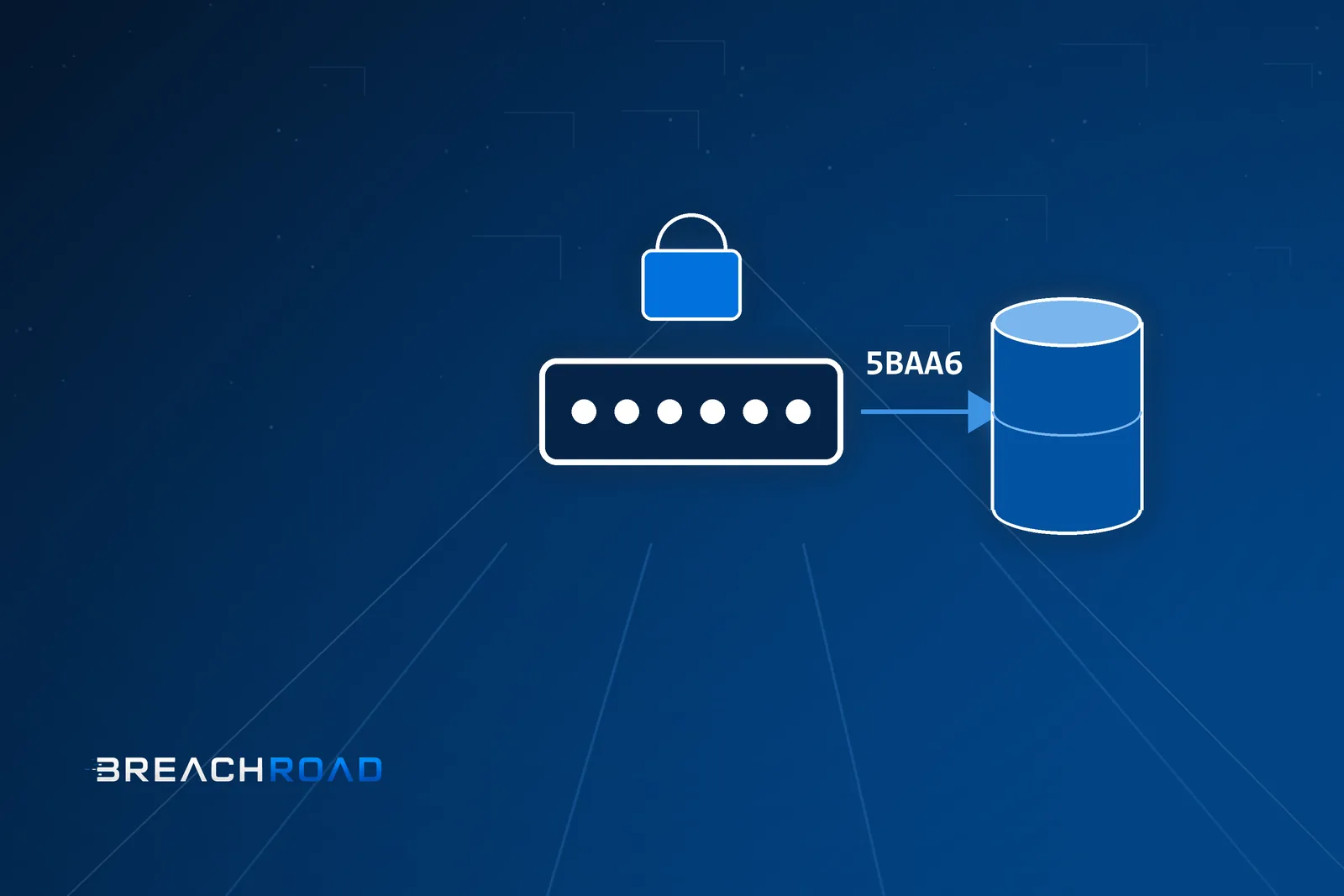
- Below the result you’ll see exactly what was sent — 5 characters of the hash, such as
5BAA6. You can confirm this yourself in your browser’s developer tools (Network tab).
If the password has been leaked, jump to what to do after a leak.
Why you shouldn’t type your password into a random “checker”
A site that asks for your full password and sends it to its server receives it in plain text. Even with good intentions, the password can end up in logs or backups, or be stolen if that server is breached. The worst case is a site asking for your e-mail and password together — a classic phishing page dressed up as a security tool.
A safe checker meets three conditions:
- the password never leaves the browser — only its hash is calculated;
- only part of the hash reaches the server, and it matches many different passwords;
- it never asks for your username or e-mail — they aren’t needed to check a password.
How k-anonymity works — an example
The method was developed in 2018 by Troy Hunt, creator of Have I Been Pwned, and Cloudflare. It works like this:
- Your browser calculates the SHA-1 hash of the password. For
passwordit is5BAA61E4C9B93F3F0682250B6CF8331B7EE68FD8. The password cannot be read back directly from the hash. - Only the start of the hash goes to the server:
5BAA6. Hundreds of different hashes in the breach database share those five characters. - The server returns every matching suffix with its occurrence count — and, in Breachroad’s tool, “padding” with decoy entries so that even the size of the response reveals nothing.
- Your browser looks for the rest of the hash (
1E4C9B93F3F0682250B6CF8331B7EE68FD8) in that list. If it is there, the password has been leaked.
The service therefore only knows “one of several hundred possibilities” and cannot tell which password you checked. Popular password managers and browsers that warn about compromised passwords use a similar principle — sending only part of a hash.
For the curious: password has appeared in breaches millions of times. Passwords at the top of such lists are tried within the first seconds of an attack.
A leaked password — what it means and what it doesn’t
What it means: that exact password is known to attackers. It ended up in a stolen database — from your account or from someone who used the identical password. It is on guessing lists and in tools that automate log-in attempts.
What it doesn’t mean: that someone has already broken into your account, or that your personal data leaked. Common passwords like Kate1990 or Summer2024! can be in the database because many people used them.
Not being in the database is no guarantee either. It only means that exact password hasn’t appeared in known breaches. A short password following a common pattern (“name + year + exclamation mark”) will still fall in seconds — which is why the tool also shows a strength rating and an estimated cracking time.
What to do if your password has been leaked
- Start with your e-mail. Whoever controls your inbox can reset most of your other passwords. Change your e-mail password first.
- Change that password everywhere you use it. Don’t just add a digit (
password1→password2) — attackers test such variants automatically. - Give every service a different password. Long and random, ideally from the generator and stored in a password manager.
- Turn on two-step verification for important accounts: e-mail, banking, social media, shops with a saved card. See our guide on enabling two-factor authentication.
- Review active sessions and devices in your account settings and sign out anything you don’t recognise.
- Watch out for phishing. After major breaches come fake “reset your password” and “confirm your account” e-mails. If you get an unrequested password reset, don’t click the link in the message.
If the password may have leaked from your own computer — for example after installing pirated software or a “crack” — the problem may be password-stealing malware. Read how an infostealer works before changing passwords from the same device.
Password or e-mail? Two different checks
| Check | Answers the question | What you send |
|---|---|---|
| Password breach (Pwned Passwords) | Is this password known to attackers? | 5 characters of a hash — nothing that identifies you |
| E-mail breach | Which breaches is my account in? | Your e-mail address |
They complement each other. The first tells you whether a password is still usable. The second tells you which services lost your data and what kind (phone number, address and so on). We cover checking your e-mail address and personal data in has my data been leaked?.
Credential stuffing: why reusing a password is a problem
Credential stuffing is an attack in which an automated tool takes “e-mail + password” pairs from one breach and tries them on hundreds of other services. It doesn’t guess — it simply checks where people reused the same password. A single leak from a fishing forum can open a shop account, an inbox and a bank account this way.
That is why the most important rule is: one site, one password. Remembering dozens of passwords is impossible, so leave it to a password manager, or switch to passkeys wherever you can.
How services should check passwords
The NIST SP 800-63B guidelines (revision 4) — the US authentication standard widely used as a global reference — require services to reject passwords found on lists of commonly used, expected and compromised values. The same guidelines forbid imposing composition rules (such as a mandatory special character) and forbid requiring periodic password changes without reason, while requiring a change when there is evidence a password has been compromised.
If you run a service or a company sign-in system, checking new passwords against breach data with k-anonymity is a simple, low-cost way to meet that requirement. More good practice in strong password myths.
Summary
Checking a password against breach data is safe only when the password never leaves your device. K-anonymity guarantees that: you send 5 characters of a hash and your browser does the comparison. If your password has been leaked — change it everywhere, starting with your e-mail, and turn on two-step verification. If it hasn’t — make sure it is long and unique. You can do both in a minute with the Password checker.
Sources: Have I Been Pwned — Pwned Passwords, Have I Been Pwned — API documentation (range search, Add-Padding header), Cloudflare — Validating leaked passwords with k-anonymity, NIST SP 800-63B-4. Recommendations are Breachroad’s analysis.
Frequently asked questions
- How do I check if my password has been leaked?
- Use a tool that queries the Pwned Passwords database (Have I Been Pwned) using k-anonymity, such as Breachroad's free Password checker. Your browser calculates the SHA-1 hash of the password and sends only its first 5 characters; the rest is compared on your device. The password itself never leaves your computer or phone.
- Is it safe to type my password into a breach checker?
- Only if the tool does not send the password. Safe checkers use k-anonymity: the server receives only the start of a hash that hundreds of different passwords share. Avoid sites that submit your full password in a form or ask for your username and password together.
- What should I do if my password is in a breach?
- Stop using it and change it everywhere it is used — starting with your e-mail, because e-mail is used to reset other accounts. Give every service a different, long password (ideally from a password manager) and turn on two-step verification. Also review active sessions and sign out unknown devices.
- Does a leaked password mean my account was hacked?
- No. It means the same password appeared in a stolen database — yours, or one belonging to someone who used the identical password. Attackers use such lists for mass log-in attempts (credential stuffing), so the risk is real, but a match alone does not prove a break-in.
- What is the difference between a leaked password and a leaked e-mail address?
- A password check tells you whether that password is known to attackers, no matter whose it was. An e-mail check tells you which breaches your account appeared in. They are complementary tests — it is worth doing both.